What is “BP Diary”?
BP diary is a simple software which can be used with all A&D Medical BP monitors for users to keep a record of their readings on their home PC.As with all our products, ease of use was a guiding design principle.
1. Preparation & Inputting of Readings
1. Download the software for free from our web site and install into your PC.
(See later paragraph for this procedure.)
2. Run the software.
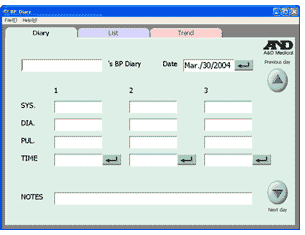
3. The following screen appears. (“Diary” screen)
Firstly, input your name in the top left-hand column. This becomes the file name for your record from the next time you log on. Your BP Diary file shall be created under (your name).ad2.
4. 3 measurements can be input for each day.
1) Move the cursor to #1 SYS. to input your first measurement of the day.
By using the tab key, you can then input your Diastolic and pulse readings.
If you click the return button just below the PUL, current time is automatically input.
2) You can input your second or third readings of the day if you take any further measurements.
3) You may use the NOTES column to record a special event of the day, if there is any.
2. Viewing the Data
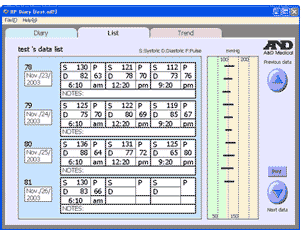
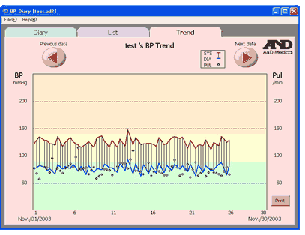
5. To view your records, you may just click either “List” or “Trend” tab for viewing. Up/down arrows on the List screen and left/right arrows on the Trend screen allow you to see more data beyond the range currently shown.
6. You may printout the data for the list (for 4 days) and trend (for 30 days) from your printer.
7. Save the data prior to exiting the program and exit from the BP Diary from File (F) – Exit (X) menu.
8. The Help menu in the software will assist you for any questions that arise.
|